
Freelancing शुरू करने की इच्छा रखने वाले बहुत से beginners के सामने सबसे पहला सवाल यह होता है—कौन-सी skill सीखें?
Internet पर अक्सर “high-income skills”, “top freelancing skills” या “घर बैठे कमाई” जैसे दावे दिखाई देते हैं। लेकिन किसी skill का popular होना यह साबित नहीं करता कि वह हर व्यक्ति के लिए सही भी होगी।
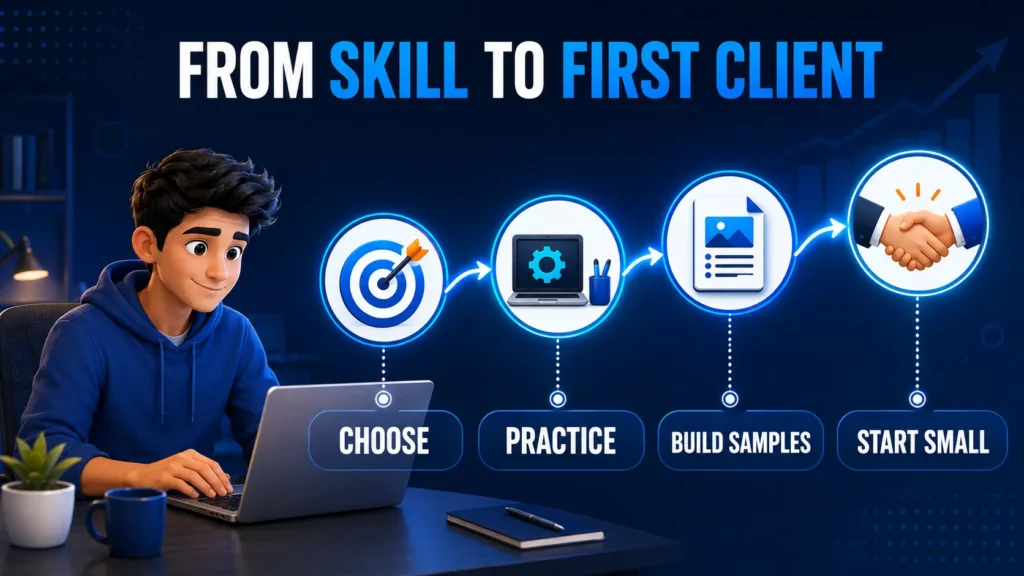
किसी सामान्य पढ़े-लिखे व्यक्ति के पास professional degree या specialised course न हो, तब भी वह freelancing की तैयारी शुरू कर सकता है। इसके लिए उसे ऐसी practical skill चुननी होगी जिसे वह ठीक से सीख सके, sample के रूप में दिखा सके और client के लिए तय quality तथा deadline के अनुसार पूरा कर सके।
इस guide में हम Freelancing Skills for Beginners के रूप में पाँच practical options समझेंगे। साथ ही यह भी देखेंगे कि हर skill में किस तरह का काम होता है, वह किन लोगों के लिए suitable हो सकती है और beginner को शुरुआत में किन सीमाओं का ध्यान रखना चाहिए।
Freelancing skill चुनने से पहले यह समझना उपयोगी है कि freelancing क्या है और यह कैसे काम करती है।
- Freelancing Skill कैसे चुनें?
- सही Freelancing Skill चुनने के 5 आधार
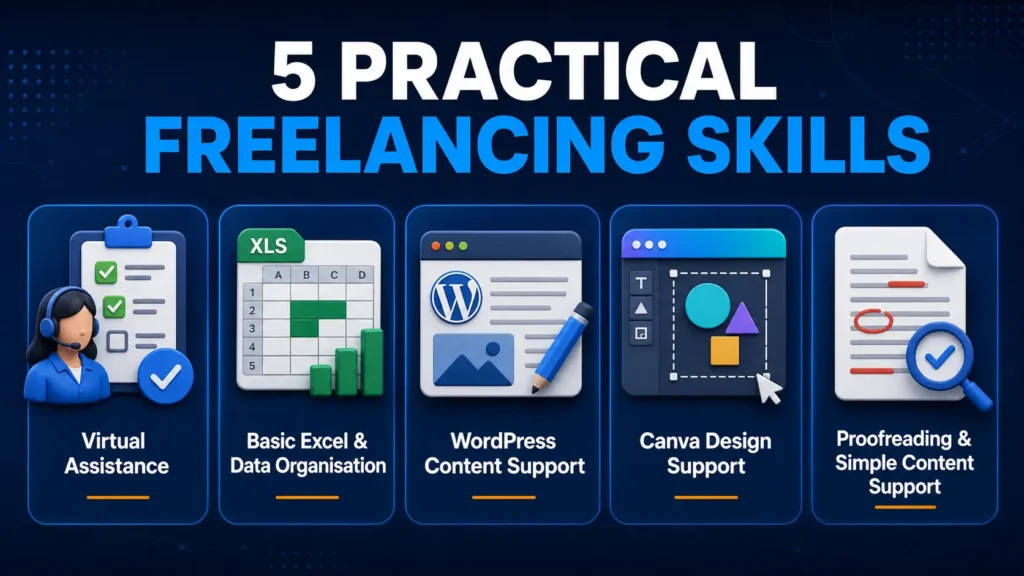
- 1. Virtual Assistance
- 2. Basic Excel और Data Organisation
- 3. WordPress Content Support
- 4. Canva Design Support
- 5. Proofreading और Simple Content Support
- यह skill किन लोगों के लिए suitable है?
- अपनी Skill की सीमा और सही Positioning समझें
- अपने लिए सही Skill कैसे चुनें?
- Beginners की Common Mistakes
- अक्सर पूछे जाने वाले सवाल
- निष्कर्ष
- अब आपका अगला कदम
Freelancing Skill कैसे चुनें?
Freelancing केवल Fiverr, Upwork या किसी दूसरे platform पर account बनाने का नाम नहीं है। Client आपको किसी स्पष्ट काम या problem के solution के लिए payment करता है।
Upwork की beginner guidance भी ऐसी freelance jobs चुनने पर जोर देती है जो आपकी current skills और schedule से मेल खाएँ तथा आगे सीखने की गुंजाइश दें।
इसलिए “मैं online काम करना चाहता हूँ” पर्याप्त नहीं है। आपको यह बताना होगा कि आप client के लिए वास्तव में क्या कर सकते हैं।
उदाहरण के लिए:
Skill: WordPress का सामान्य उपयोग
Service: Blog posts upload और format करना
Skill: Excel की basic knowledge
Service: Client के data को clean और organised spreadsheet में व्यवस्थित करना
Skill: Canva का उपयोग
Service: Small businesses के लिए social media posts बनाना
एक clear skill चुनने से learning direction, practice, portfolio और profile—चारों चीजें स्पष्ट होती हैं। शुरुआत में बहुत सारी unrelated skills सीखने की कोशिश करने से focus टूट सकता है और किसी एक service में client-ready quality बनाना मुश्किल हो सकता है।
सही Freelancing Skill चुनने के 5 आधार
किसी skill को केवल उसकी संभावित कमाई देखकर नहीं चुनना चाहिए। पहले इन पाँच बातों पर विचार करें।
1. आपकी मौजूदा क्षमता
देखें कि आप अभी कौन-से काम सामान्य रूप से कर सकते हैं। हो सकता है आपको office documents व्यवस्थित करना, basic Excel, writing, design या website content का अनुभव हो।
Existing ability से जुड़ी skill सीखना अक्सर आसान होता है।
2. सीखने में आपकी रुचि
किसी skill में शुरुआती excitement होना पर्याप्त नहीं है। आपको यह भी देखना चाहिए कि क्या आप कई सप्ताह या महीनों तक उसे practice कर सकते हैं।
3. Client की वास्तविक जरूरत
Skill से ऐसा काम निकलना चाहिए जिसकी किसी client को आवश्यकता हो। उदाहरण के लिए, bloggers को post formatting और businesses को data organisation की जरूरत हो सकती है।
4. Sample बनाने की संभावना
Beginner के पास paid experience न हो, तो उसे demo samples बनाने पड़ते हैं। ऐसी skill चुनना उपयोगी होता है जिसका self-created sample तैयार किया जा सके।
5. Reliable delivery
अपने आप से पूछें:
- क्या मैं यह काम instructions के अनुसार पूरा कर सकता हूँ?
- क्या मैं deadline manage कर सकता हूँ?
- क्या मैं errors check कर सकता हूँ?
- क्या मुझे हर छोटी बात के लिए लगातार सहायता चाहिए?
Freelancing में skill जानने के साथ reliable delivery भी जरूरी होती है।

1. Virtual Assistance
Virtual Assistant यानी VA किसी business owner, freelancer, consultant या small team को रोजमर्रा के digital और administrative tasks में support देता है।
इसका मतलब यह नहीं कि एक virtual assistant हर तरह का business काम संभालता है। शुरुआत में service का scope छोटा और स्पष्ट होना चाहिए।
Virtual Assistant के सामान्य काम
एक beginner level VA के tasks हो सकते हैं:
- Emails और folders organise करना
- Files के नाम और categories व्यवस्थित करना
- Basic online research
- Spreadsheet update करना
- Calendar में information add करना
- Meetings या tasks की list तैयार करना
- Content scheduling में सहायता
- Basic customer messages व्यवस्थित करना
- Documents को सही folder में रखना
यह skill किन लोगों के लिए सही हो सकती है?
Virtual Assistance उन लोगों के लिए suitable हो सकती है जो:
- निर्देश ध्यान से पढ़ते हैं
- files और information व्यवस्थित रखना पसंद करते हैं
- समय पर reply कर सकते हैं
- basic English communication समझते हैं
- repetitive tasks में accuracy बनाए रख सकते हैं
क्या सीखना होगा?
शुरुआत में Google Drive, Gmail, Google Docs, Google Sheets, Calendar और basic task-management tools सीखना उपयोगी हो सकता है।
साथ ही professional communication और privacy का ध्यान रखना जरूरी है।
Demo sample कैसे बनाएं?
आप एक dummy project तैयार कर सकते हैं जिसमें:
- Organised Google Drive structure
- Sample weekly task tracker
- Email response templates
- Research summary sheet
- Content calendar
दिखाया जाए।
2. Basic Excel और Data Organisation
बहुत से छोटे businesses, offices और independent professionals के पास data होता है, लेकिन वह साफ और व्यवस्थित नहीं होता।
Basic Excel और data organisation की service ऐसे records को readable और usable format में व्यवस्थित करने में मदद कर सकती है।
सामान्य tasks
Beginner level पर आप ये काम सीख सकते हैं:
- Data entry
- Rows और columns व्यवस्थित करना
- Sorting और filtering
- Basic formulas
- Duplicate entries पहचानना
- Simple expense tracker
- Inventory record
- Contact list organise करना
- Basic table formatting
- Simple chart या summary
यह skill किन लोगों के लिए सही है?
यह उन लोगों के लिए suitable हो सकती है जो:
- numbers और records के साथ सहज हैं
- detail पर ध्यान देते हैं
- repetitive work में patience रखते हैं
- mistakes check करना पसंद करते हैं
- office-type tasks में interest रखते हैं
Portfolio sample कैसे बनाएं?
Real company data की जगह dummy data का उपयोग करें।
उदाहरण:
- Unorganised customer list को clean table में बदलना
- Monthly expense tracker
- Sample inventory sheet
- Duplicate removal का before-and-after example
- Basic sales summary
3. WordPress Content Support
WordPress content support beginners के लिए एक practical digital skill हो सकती है, खासकर उन लोगों के लिए जिन्हें blog posts, headings, images और website content व्यवस्थित करने में रुचि है।
इस service में coding expert होना जरूरी नहीं है। लेकिन WordPress editor और content publishing process की practical समझ होनी चाहिए।
WordPress Content Support में क्या काम हो सकता है?
- Blog post upload करना
- Paragraphs और spacing ठीक करना
- H2 और H3 headings व्यवस्थित करना
- Featured image लगाना
- Content images insert करना
- Alt text जोड़ना
- Categories select करना
- Internal links लगाना
- Basic meta title या description add करना
- Desktop और mobile preview देखना
- Publish करने से पहले basic quality check करना
यह skill किन लोगों के लिए suitable है?
यह skill उन लोगों के लिए उपयोगी हो सकती है जो:
- websites और blogs में interest रखते हैं
- content को साफ और readable बनाना पसंद करते हैं
- headings, images और layout पर ध्यान देते हैं
- instructions के अनुसार काम कर सकते हैं
- बार-बार quality check करने में परेशानी महसूस नहीं करते
Demo portfolio कैसे बनाएं?
एक practice WordPress website या demo post पर:
- Raw content upload करें
- Heading structure बनाएं
- Images और alt text जोड़ें
- Categories और internal links व्यवस्थित करें
- Desktop और mobile screenshots लें
इसे self-created demo project के रूप में portfolio में दिखाया जा सकता है।
4. Canva Design Support
Canva की मदद से social media posts, blog images, thumbnails और simple promotional designs बनाए जा सकते हैं।
Canva की official design guidance के अनुसार beginners के लिए spacing, contrast, typography और visual balance जैसे basic design principles समझना उपयोगी है।
यह skill visual sense, spacing, typography और brand colours की basic understanding मांगती है। केवल template में text बदल देना professional design service नहीं बनाता।
Canva Design Support में क्या काम हो सकता है?
- Social media posts
- Blog featured images
- YouTube thumbnails
- Simple promotional banners
- Presentation slides
- Quote graphics
- Basic event posters
- Image resizing
- Existing design को different size में adapt करना
यह skill किन लोगों के लिए सही हो सकती है?
Canva design उन लोगों के लिए suitable हो सकती है जो:
- colours और layout में interest रखते हैं
- साफ और balanced visuals पसंद करते हैं
- छोटी details notice करते हैं
- different design versions बनाने में patience रखते हैं
- client के brand colours और instructions follow कर सकते हैं
Demo samples कैसे बनाएं?
किसी काल्पनिक business के लिए:
- तीन social media posts
- एक promotional banner
- एक blog featured image
- एक presentation slide
- एक thumbnail
तैयार करें।
हर design में consistent colours, fonts और spacing रखें।
5. Proofreading और Simple Content Support
जिन लोगों की Hindi या English language पर अच्छी पकड़ है, उनके लिए proofreading और simple content support एक practical option हो सकता है।
Proofreading का काम केवल spelling ठीक करना नहीं है। इसमें sentence clarity, punctuation, consistency और readability भी देखी जा सकती है।
सामान्य tasks
- Spelling correction
- Grammar correction
- Punctuation check
- Repeated words हटाना
- Sentence clarity सुधारना
- Basic formatting
- Product descriptions की language check करना
- Simple blog content edit करना
- Hindi या English text की proofreading
- Before-and-after editing
यह skill किन लोगों के लिए suitable है?
यह उन लोगों के लिए उपयोगी हो सकती है जो:
- पढ़ने में रुचि रखते हैं
- spelling और sentence errors जल्दी पकड़ लेते हैं
- भाषा को साफ और सरल बनाना पसंद करते हैं
- meaning बदले बिना correction कर सकते हैं
- detail पर ध्यान देते हैं
Portfolio sample कैसे बनाएं?
एक छोटा paragraph लें और उसका before-and-after version तैयार करें।
इसके साथ बताएं:
- कौन-सी errors थीं
- आपने क्या सुधार किया
- meaning को कैसे सुरक्षित रखा
- final text अधिक readable कैसे हुआ
आप दो छोटे articles, product descriptions या website paragraphs के samples भी तैयार कर सकते हैं।
अपनी Skill की सीमा और सही Positioning समझें
शुरुआत में केवल वही service offer करें जिसे आप practical रूप से समझते हैं और तय quality के साथ पूरा कर सकते हैं। किसी basic tool का उपयोग जानना आपको उस क्षेत्र का advanced expert नहीं बनाता।
इसलिए Virtual Assistance में business strategy या specialised management, Excel में accounting, financial analysis या automation, WordPress में development, security या technical SEO, Canva में professional branding या logo identity, और proofreading में legal, medical या specialised writing का दावा बिना आवश्यक knowledge के न करें।
Demo work को real client project न बताएं, templates या किसी दूसरे व्यक्ति के काम को अपना original work बनाकर प्रस्तुत न करें और copyrighted या confidential material का गलत उपयोग न करें। ईमानदार positioning, clear scope और अपनी वर्तमान क्षमता के अनुसार काम लेना long-term client trust बनाने के लिए अधिक उपयोगी है।
अपने लिए सही Skill कैसे चुनें?
इन पाँचों में से किसी skill को केवल इसलिए न चुनें क्योंकि वह आसान या popular दिखाई देती है।
यह practical process अपनाएं:
तीन Skills Shortlist करें
अपनी current ability और interest के आधार पर तीन options चुनें।
उदाहरण:
- Virtual Assistance
- Basic Excel
- WordPress Content Support
हर Skill का छोटा Task करें
हर skill के लिए एक छोटा practice project पूरा करें।
जैसे:
- VA के लिए sample task tracker
- Excel के लिए clean data sheet
- WordPress के लिए formatted demo post
अपना अनुभव Note करें
देखें:
- किस काम में कम confusion हुआ?
- किसमें accuracy अच्छी रही?
- किसमें समय manageable था?
- किसमें interest बना रहा?
- किसका sample बेहतर बना?
एक Primary Skill चुनें
शुरुआत के लिए केवल एक main skill चुनें। उससे जुड़ी एक supporting skill बाद में जोड़ी जा सकती है।
उदाहरण:
Primary skill: WordPress Content Support
Supporting skill: Canva featured images
इसके बाद दो या तीन relevant demo samples बनाएं और अपनी service का clear description लिखें।
Beginners की Common Mistakes
Freelancing skill चुनते समय beginners को एक साथ कई skills सीखने, थोड़ी-सी practice के बाद paid service offer करने और केवल संभावित income देखकर skill चुनने से बचना चाहिए।
Excel, Canva, writing, SEO और video editing जैसी कई skills पर एक साथ काम करने से किसी एक क्षेत्र में अच्छी quality विकसित करना कठिन हो सकता है।
इसी तरह basic tutorial देखने के तुरंत बाद project लेना risky है, क्योंकि client work में accuracy, communication और deadline भी जरूरी होते हैं।
Demo project को real client experience बताना या ऐसा काम स्वीकार करना जिसे पूरा करना अभी नहीं आता, trust को नुकसान पहुँचा सकता है।
शुरुआत में एक primary skill चुनें, पर्याप्त practice करें और केवल वही service offer करें जिसे जिम्मेदारी से deliver कर सकें।
अक्सर पूछे जाने वाले सवाल
क्या Professional Degree के बिना Freelancing शुरू की जा सकती है?
हाँ। कई digital support services में professional degree से अधिक practical skill, portfolio, communication और reliable delivery मायने रख सकती है। हालांकि कुछ specialised और regulated professions में formal qualification आवश्यक हो सकती है।
Beginner के लिए सबसे आसान Freelancing Skill कौन-सी है?
सबके लिए एक ही skill आसान नहीं होती। किसी व्यक्ति को Excel सहज लग सकता है, जबकि दूसरे को Canva या writing। आसान skill वह होगी जो आपकी current ability और interest से मेल खाती हो।
एक Skill सीखने में कितना समय लग सकता है?
इसका fixed जवाब नहीं है। समय skill की complexity, आपकी existing knowledge, daily practice और expected service quality पर निर्भर करता है। केवल course पूरा करना पर्याप्त नहीं; practical task को independently complete करना जरूरी है।
क्या एक से ज्यादा Skills सीखनी चाहिए?
समय के साथ supporting skills सीखना उपयोगी है। लेकिन शुरुआत में एक primary skill पर focus करना बेहतर होता है। पहले उसी में practice, samples और delivery confidence बनाएं।
Skill सीखने के बाद Client कैसे मिलेगा?
Skill सीखने के बाद relevant portfolio samples, clear service description और professional profile तैयार करें। इसके बाद freelancing platforms, LinkedIn, referrals, local businesses या personalised outreach के माध्यम से suitable clients खोजे जा सकते हैं।
निष्कर्ष
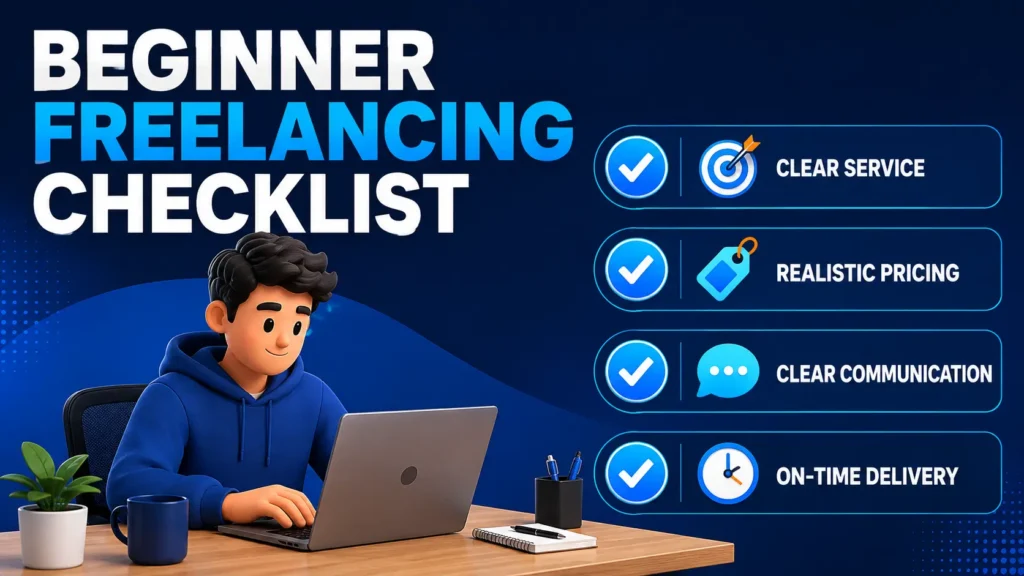
सही Freelancing Skills for Beginners वे हैं जिन्हें व्यक्ति practical रूप से सीख सके, portfolio में दिखा सके और client के लिए जिम्मेदारी से deliver कर सके।
Beginners के लिए कोई एक freelancing skill हर स्थिति में सबसे अच्छी नहीं होती। भरोसेमंद skill वह है जिसे आप सीख सकें, practice कर सकें, portfolio में दिखा सकें और client के लिए जिम्मेदारी से deliver कर सकें।
Virtual Assistance, Basic Excel, WordPress Content Support, Canva Design Support और Proofreading—ये पाँच practical options सामान्य beginner के लिए संभावित शुरुआती रास्ते हो सकते हैं।
लेकिन skill चुनते समय market trend से अधिक अपनी वास्तविक क्षमता, interest, accuracy और learning readiness देखें।
एक primary skill चुनें, उससे जुड़े दो या तीन demo samples बनाएं और केवल वही service offer करें जिसे आप तय quality तथा deadline के अनुसार पूरा कर सकें। जैसे-जैसे experience बढ़े, आप supporting skills जोड़कर अपनी service को बेहतर बना सकते हैं।
अब आपका अगला कदम
इन पाँच skills में से तीन options shortlist करें।
प्रत्येक skill का एक छोटा practice task पूरा करें और देखें कि किसमें आपकी accuracy, interest और consistency बेहतर रहती है।
उसके बाद एक primary skill चुनें, दो relevant demo samples तैयार करें और अपनी freelancing service को एक स्पष्ट sentence में लिखें। फिर आत्मविश्वास के साथ अपनी freelancing journey का पहला practical कदम बढ़ाएँ।