
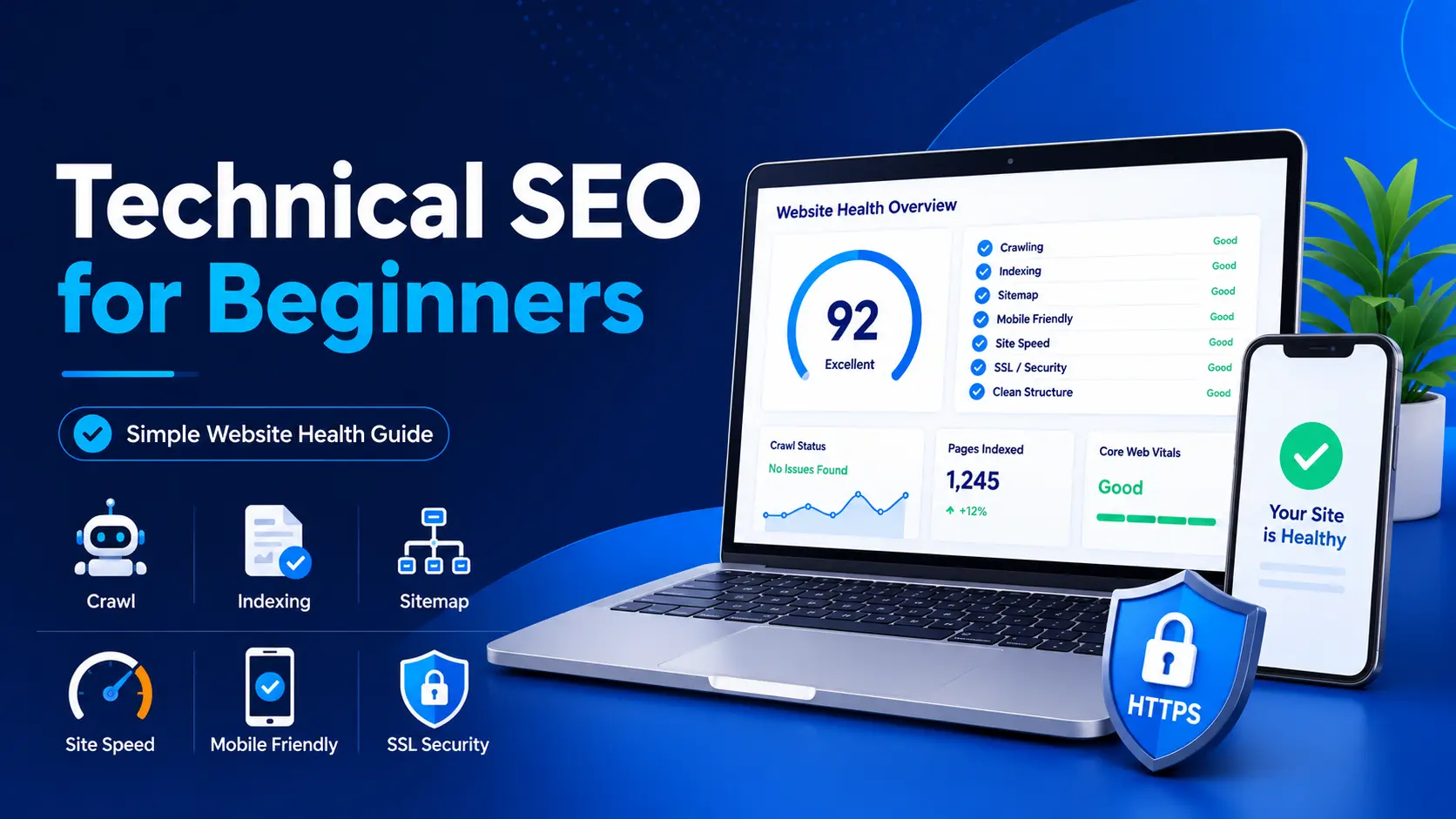
A Simple Guide to Make Your Website Google-Friendly
Agar Google aapki website ko properly crawl aur index nahi kar pa raha, to helpful content bhi search results me struggle kar sakta hai.
If you have started a blog, you may think that writing helpful content is enough.
But sometimes, even good content does not get proper visibility because Google cannot crawl, index, or understand the website correctly.
This is where technical SEO becomes important.
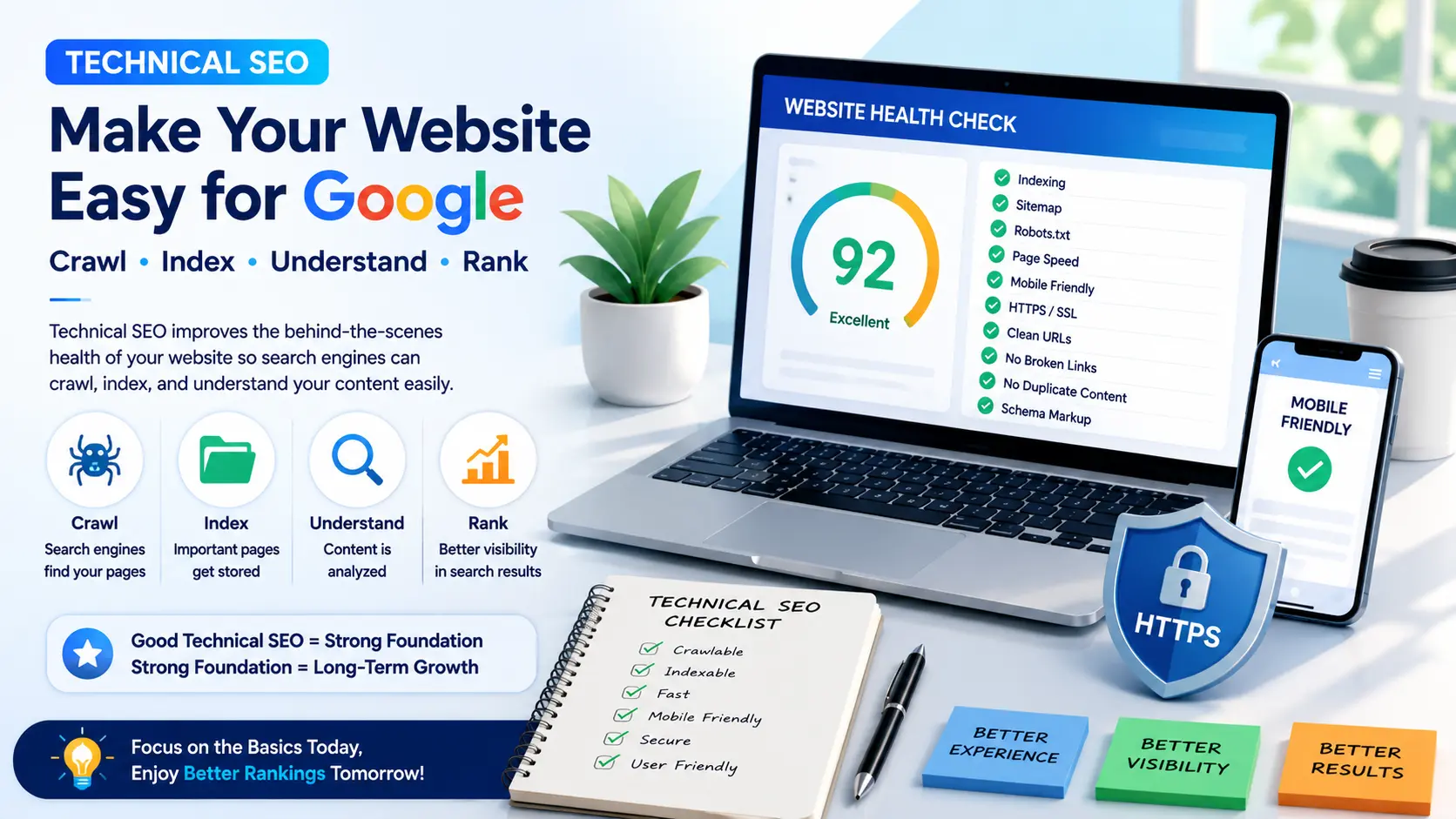
Simple words me samjhein, technical SEO means improving the technical health of your website so that search engines can find, crawl, index, and understand your pages more easily.
For beginners, technical SEO does not mean coding or advanced server work. It means checking basic things like sitemap, indexing, robots.txt, website speed, mobile-friendly design, SSL, clean URLs, broken links, and schema.
In this technical SEO for beginners guide, you will learn 10 easy steps to make your website more Google-friendly, user-friendly, and ready for long-term SEO growth.
What Is Technical SEO?
Technical SEO means improving the technical health of your website so that search engines can easily find, crawl, index, and understand your pages.
Simple words me samjhein, technical SEO is the behind-the-scenes work that helps your website work better for both Google and users.
For example, if your website is slow, not mobile-friendly, blocked by robots.txt, or not indexed in Google, then even helpful content may not get proper visibility.
Technical SEO includes things like:
- Website indexing
- Sitemap
- Robots.txt
- Website speed
- Mobile-friendly design
- Clean URL structure
- SSL certificate
- Broken links
- Duplicate content
- Schema markup
- Google Search Console errors
Technical SEO does not mean you need to become a coder. At beginner level, it simply means checking the basic website settings that affect crawling, indexing, speed, security, and user experience.
Why Technical SEO Is Important for Beginners
Many beginners think SEO means only writing content and adding keywords.
But SEO is not only about content. Your website should also be easy for Google to access and easy for users to use.
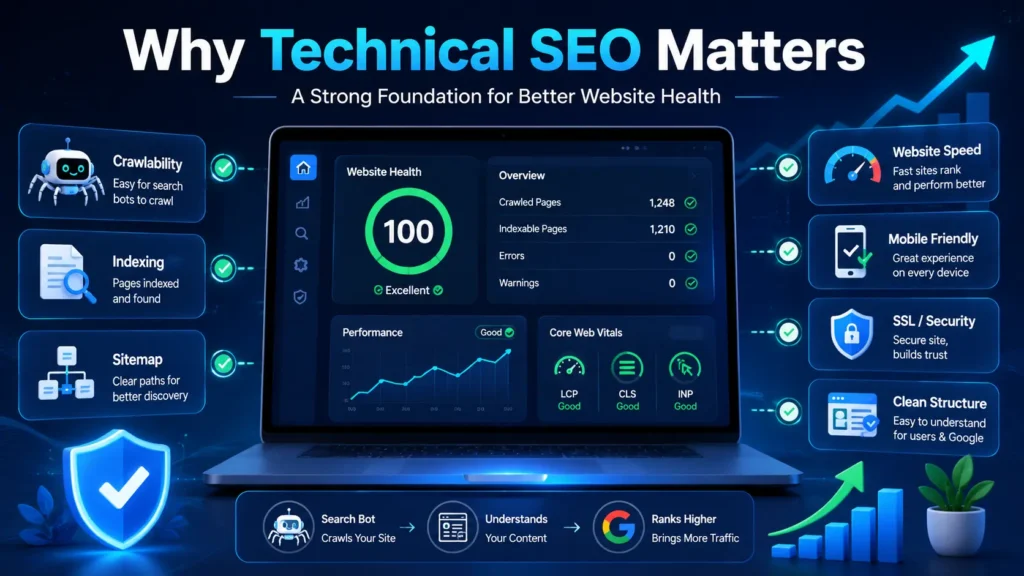
Technical SEO is important because it helps you:
- Make your website easier to crawl
- Help Google index your important pages
- Improve website loading speed
- Make your site mobile-friendly
- Reduce crawl and indexing issues
- Fix broken links
- Improve website security with HTTPS
- Create a better user experience
- Help Google understand your website structure
For example, if you publish a helpful blog post but it is not indexed in Google, it may not appear in search results.
Similarly, if your website takes too long to load, readers may leave before reading your content.
Technical SEO helps you avoid these basic problems.
It does not guarantee ranking, but it gives your website a stronger foundation for long-term SEO growth.
Technical SEO for Beginners: 10 Easy Steps
Now let’s understand the most important technical SEO steps one by one.
You can use these steps when you start a new blog or when you update an old website.
Step 1: Check If Your Website Is Indexable
The first step is to check whether Google can index your website or not.
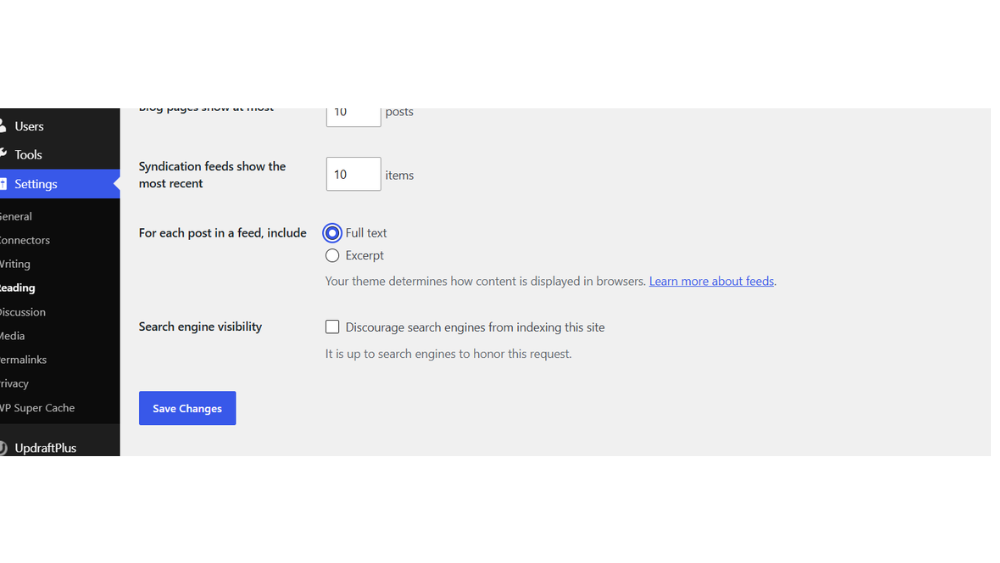
In WordPress, many beginners accidentally enable this setting:
Discourage search engines from indexing this site
If this option is enabled, Google may not index your website properly.
To check this:
Go to:
WordPress Dashboard → Settings → Reading → Search engine visibility
Make sure the box is unchecked.
You can also search on Google:
site:yourdomain.com
If your pages appear in Google, it means Google has indexed some pages of your website.
If nothing appears, you may need to check indexing settings, sitemap, robots.txt, and Google Search Console.
Step 2: Submit Sitemap in Google Search Console
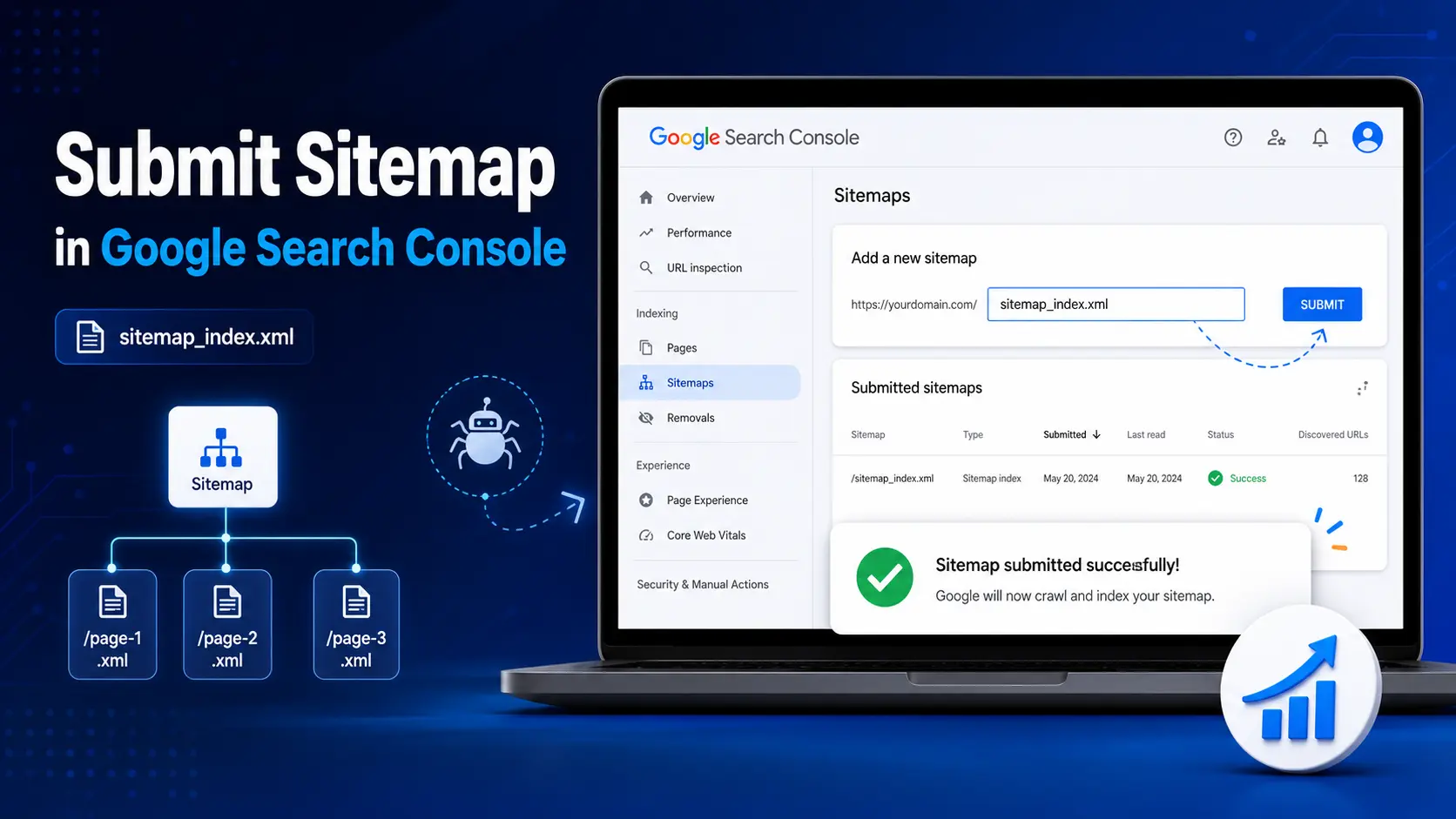
A sitemap is like a map of your website.
It helps Google understand which pages and posts are available on your website.
If you use SEO plugins like Rank Math, Yoast SEO, or AIOSEO, your sitemap is usually created automatically.
A common sitemap URL looks like this:
yourdomain.com/sitemap_index.xml
To submit sitemap:
Go to:
Google Search Console → Sitemaps → Add sitemap URL → Submit
This helps Google discover your important pages more easily.
Submitting a sitemap does not guarantee ranking, but it helps Google understand your site structure better.
Step 3: Check Robots.txt Carefully
Robots.txt is a file that gives instructions to search engine bots.
It tells bots which parts of your website they can crawl and which parts they should avoid.
You can check your robots.txt file like this:
yourdomain.com/robots.txt
Beginners should not edit robots.txt unnecessarily.
A wrong robots.txt setting can block Google from crawling important pages.
Simple words me samjhein, robots.txt works like a gatekeeper. If the gatekeeper gives the wrong instruction, Google bots may not enter the right pages.
If you are not sure, keep the default settings and avoid unnecessary changes.
Step 4: Improve Website Speed
Website speed is an important part of technical SEO.
If your website loads slowly, visitors may leave quickly. This can hurt user experience.
To improve website speed:
- Use a lightweight theme
- Compress images before uploading
- Avoid unnecessary plugins
- Use a cache plugin
- Avoid heavy sliders and animations
- Use good hosting
- Keep your website design clean
You can check website speed using tools like:
- PageSpeed Insights
- GTmetrix
But do not run behind a perfect 100 score from day one.
For beginners, the goal should be:
fast, clean, mobile-friendly, and easy to use website.
Step 5: Make Your Website Mobile-Friendly
Most users now browse websites on mobile.
So your website should look good and work properly on mobile screens.
A mobile-friendly website means:
- Text is easy to read
- Buttons are easy to click
- Images fit properly
- Menu works smoothly
- Page does not scroll sideways
- Layout looks clean on small screens
If you use a responsive WordPress theme like GeneratePress, Astra, or Kadence, mobile design becomes easier.
If you want to learn WordPress setup step by step, you can read my post WordPress Setup Guide for Beginners.
But still, always check mobile preview before publishing an important page or post.
Beginner mistake:
Many people check only desktop design and ignore mobile design. But mobile users are often the majority.
Step 6: Use Clean URL Structure
A clean URL is easy to read and understand.
Bad URL example:
yourdomain.com/p=123?id=seo-post-new
Good URL example:
yourdomain.com/technical-seo-for-beginners
Clean URLs help both users and search engines understand the topic of the page.
In WordPress, you can set permalink structure from:
Settings → Permalinks → Post name
For beginners, Post name is usually the best option.
Important note:
If your post is already published and indexed, do not change the URL again and again. URL change karne se SEO issue ho sakta hai if proper redirect is not done.
Step 7: Fix Broken Links
Broken links are links that lead to pages that no longer exist.
For example, if you link to an article and later that article is deleted, the link may show a 404 error.
Broken links can create a poor user experience.
They can also make your website look less maintained.
To avoid this:
- Check important links regularly
- Fix or remove broken links
- Replace old links with working links
- Avoid linking to low-quality or temporary pages
You can use a broken link checker tool or plugin, but do not keep heavy plugins active all the time if they slow down your site.
Use the tool, fix the issue, and then deactivate it if not needed.
Step 8: Use HTTPS / SSL Certificate
HTTPS makes your website secure.
If your website URL starts with:
https://
It means SSL is active.
If it shows:
http://
or browser shows Not Secure, then SSL may not be active properly.
SSL is important because it builds trust.
Most hosting companies provide free SSL certificates.
If SSL is not active, you can enable it from your hosting panel or contact hosting support.
For beginners, this is a basic but important technical SEO step.
A secure website looks more trustworthy to readers.
Step 9: Avoid Duplicate Content Issues
Duplicate content means the same or very similar content appears on multiple pages.
Beginner bloggers sometimes repeat the same paragraphs in many posts. This can reduce content quality.
Duplicate content can also happen through unnecessary tags, categories, archive pages, or copied content.
To avoid duplicate content:
- Write unique content for every post
- Do not copy-paste the same paragraph everywhere
- Use limited and relevant tags
- Avoid creating too many similar pages
- Use one main category where possible
- Be careful with noindex settings
Do not change advanced noindex settings unless you understand them properly.
Simple rule:
Keep your website clean, organized, and original.
Step 10: Add Basic Schema Markup
Schema markup helps search engines understand the type of content on your page.
For example, schema can help Google understand whether your content is:
- Article
- Blog post
- FAQ
- Review
- How-to guide
- Recipe
For beginner bloggers, you do not need to manually code schema.
SEO plugins like Rank Math or Yoast can add basic schema for you.
For most blog posts, Article schema is enough.
If your post has FAQs, you can also use FAQ-style formatting if your SEO plugin supports it.
Schema does not guarantee ranking, but it helps search engines understand your content better.
Quick Technical SEO Checklist for Beginners
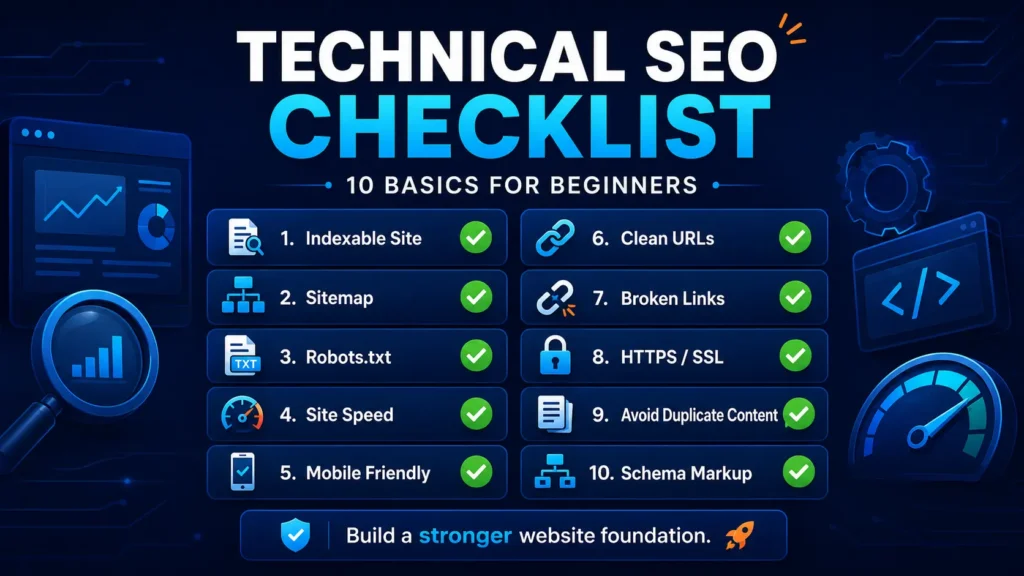
Before publishing or updating your website, check these points:
- Is your website indexable?
- Is sitemap submitted in Google Search Console?
- Is robots.txt not blocking important pages?
- Is your website loading fast?
- Is your website mobile-friendly?
- Is your URL clean and readable?
- Are broken links fixed?
- Is HTTPS active?
- Is duplicate content avoided?
- Is basic schema added?
- Are important pages linked properly?
- Is Google Search Console checked regularly?
You do not need to fix everything in one day.
Start with the basics: indexing, sitemap, speed, mobile design, SSL, and clean URLs.
These small improvements can make your website stronger over time.
Common Technical SEO Mistakes Beginners Should Avoid
Many beginners make technical SEO difficult by touching advanced settings without understanding them.
Here are some common mistakes to avoid.
1. Blocking Search Engines by Mistake
Sometimes beginners enable settings that stop Google from indexing the website.
Always check WordPress reading settings and make sure search engines are allowed to index your site.
2. Not Submitting Sitemap
Publishing posts is not enough.
You should submit your sitemap in Google Search Console so Google can understand your website structure better.
3. Ignoring Website Speed
Heavy images, too many plugins, sliders, and unnecessary animations can slow down your website.
A slow website can hurt user experience.
Keep your website light and clean.
4. Ignoring Mobile Design
A page may look good on desktop but bad on mobile.
Always check mobile preview before publishing important pages.
5. Editing Robots.txt Without Knowledge
Robots.txt is powerful but risky.
Wrong settings can block Google bots from important pages.
If you are not sure, do not edit it unnecessarily.
6. Creating Too Many Tags and Categories
Too many tags and categories can make your site messy.
Use limited, useful, and relevant categories or tags.
A clean structure is better for both users and search engines.
7. Ignoring Google Search Console
Google Search Console is like your website health report.
It shows indexing issues, sitemap status, performance data, and errors.
Beginners should check Search Console regularly, at least once a week or once a month.
8. Running Behind Perfect Scores
Tools are helpful, but perfect scores are not always necessary.
Your first goal should be:
- Website loads fast
- Pages are indexable
- Content is readable
- Mobile design is clean
- Users can navigate easily
Do not break your website just to chase a tool score.
Simple Technical SEO Tips for Beginners
Here are some practical tips:
- Use a lightweight WordPress theme
- Keep plugins limited
- Compress images before uploading
- Submit sitemap in Google Search Console
- Check indexing status after publishing
- Keep URLs short and clean
- Use HTTPS
- Avoid unnecessary tags
- Check mobile preview
- Fix broken links regularly
- Do not edit advanced settings without understanding them
Technical SEO becomes easier when you practice slowly.
Learn one thing, apply it, check the result, and then move to the next step.
FAQs About Technical SEO for Beginners
What is technical SEO in simple words?
Technical SEO means improving the technical health of your website so that search engines can easily find, crawl, index, and understand your pages. Simple words me samjhein, it helps your website work better for both Google and users.
Is technical SEO difficult for beginners?
Technical SEO may sound difficult in the beginning, but beginners do not need to learn advanced coding. Start with basic things like sitemap, indexing, website speed, mobile-friendly design, SSL, clean URLs, and Google Search Console.
Why is technical SEO important?
Technical SEO is important because even helpful content may not perform well if Google cannot crawl or index the page properly. It also helps improve website speed, mobile experience, security, and overall website health.
How can I check if my website is indexed?
You can check indexing by searching this on Google: site:yourdomain.com. You can also use Google Search Console to check whether your pages are indexed or if any indexing issues are present.
Do I need coding for technical SEO?
No, beginners usually do not need coding for basic technical SEO. Most basic tasks like sitemap, SSL, mobile preview, image compression, permalink settings, and schema can be handled through WordPress settings, SEO plugins, and Google Search Console.
What is the first technical SEO step for a new website?
The first step is to make sure your website is indexable. In WordPress, check Settings → Reading and make sure “Discourage search engines from indexing this site” is unchecked.
How often should I check technical SEO?
Beginners should check basic technical SEO at least once a month. Also check Google Search Console after publishing new posts, changing important settings, or noticing indexing and traffic issues.
Next Step
Technical SEO helps your website become easier for Google and users to understand. But technical SEO works best when your content, keywords, on-page SEO, and internal linking are also strong.
If you are new to SEO, first understand SEO basics for beginners. Then learn keyword research guide for beginners so you can choose better topics before writing.
After that, improve your blog posts with on-page SEO and keep checking technical issues through Google Search Console.
Read next:
- SEO Basics for Beginners
- Keyword Research Guide for Beginners
- On-Page SEO Complete Guide for Beginners
- Best Free SEO Tools for Beginners
- Off-Page SEO and Backlinks Explained Simply for Beginners
If you are still setting up your blog, also read WordPress Setup Guide for Beginners and How to Start Blogging.
Conclusion
Technical SEO may sound difficult at first, but it becomes simple when you understand the basics step by step.
Simple words me samjhein, technical SEO for beginners is about making your website easy for Google and easy for users. Your content should be readable, your website should load fast, your pages should be indexable, and your mobile design should be clean.
Do not try to become an expert in one day. Start with sitemap, indexing, speed, mobile-friendly design, SSL, and clean URLs. These small improvements can make your website stronger over time.
Agar aap beginner ho to याद रखें: SEO is not magic. It is a process. Learn one thing, apply it, and improve slowly.
Now tell me in the comments: Which technical SEO topic confuses you the most — sitemap, indexing, speed, robots.txt, or Search Console?
Also, bookmark this guide so you can return whenever you check your website’s SEO health.
In the next article, DigitalBhai can explain Google Search Console for Beginners in a simple step-by-step way.