
Introduction
Many beginner bloggers spend hours thinking about topics, writing drafts, creating images, checking grammar, and improving SEO.
Agar aap beginner blogger ho, to ye struggle bilkul normal hai. Honestly, maine bhi blogging ke starting phase me tools, writing, images, SEO aur consistency ko samajhne me kaafi struggle kiya.
Kaafi time laga tab jaakar ye clear hua ki blogging sirf article likhne ka kaam nahi hai. Research, planning, editing, images, SEO title, meta description, internal linking, and consistency — sab important hote hain.
This is where free AI tools for bloggers can help.
These tools can save time, give blog ideas, improve your writing, help with research, create image concepts, and make your blogging workflow easier.
But one thing is very important: AI tools are helpers, not replacements.
AI can give you ideas and drafts, but final editing, fact-checking, personal experience, and human feel should always come from you.
In this guide, we will understand the best free AI tools for bloggers in a simple, practical, and beginner-friendly way.
What Are AI Tools for Bloggers?
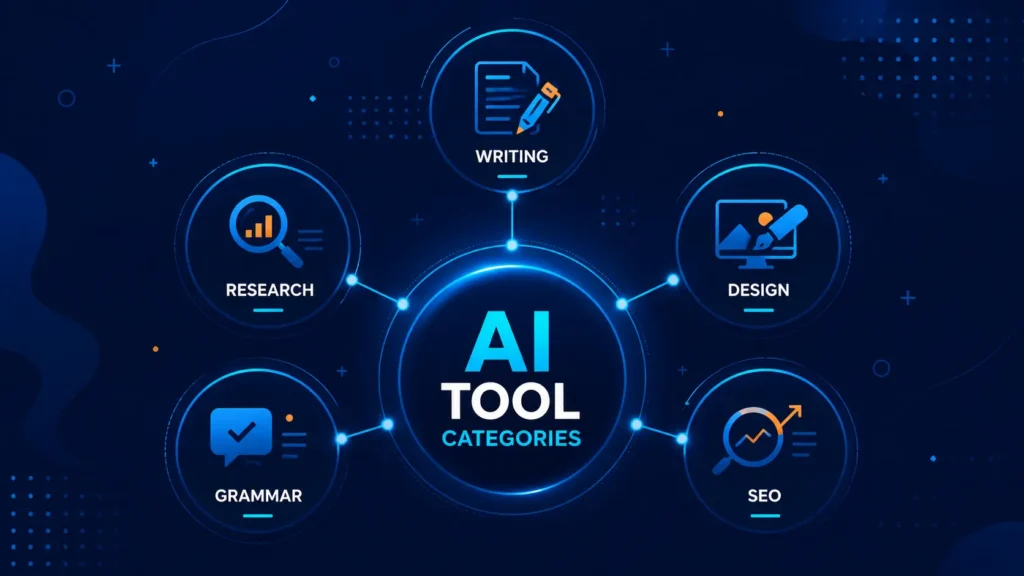
AI tools for bloggers are online tools that help bloggers with writing, research, editing, designing, planning, and SEO-related tasks.
For example, an AI tool can help you:
- Find blog topic ideas
- Create a blog outline
- Rewrite weak paragraphs
- Improve grammar
- Suggest image ideas
- Create SEO titles
- Write meta descriptions
- Summarize research
- Plan a content calendar
Simple tarike se samjhein to, AI tools work like a smart assistant.
They do not replace your thinking. They reduce your workload and help you move faster.
A beginner blogger can use AI tools to save time, avoid writer’s block, and improve content quality step by step.
Why Bloggers Should Use AI Tools Carefully
AI tools are powerful, but they are not perfect.
Sometimes AI can give outdated information, wrong facts, generic content, or robotic writing. That is why you should never copy-paste AI output directly into your blog.
Use AI as a first draft.
After that, you should:
- Check facts
- Add your own examples
- Improve the tone
- Remove repeated lines
- Add personal experience
- Make the content useful for your readers
The golden rule is simple:
AI can help you write faster, but your human touch builds trust.
If your blog sounds real, honest, and helpful, readers will trust you more.
ChatGPT – For Blog Ideas, Outlines, and Draft Improvement
ChatGPT is one of the most useful free AI tools for bloggers. It can help with brainstorming, writing, editing, planning, learning, and improving content.
A beginner blogger can use ChatGPT for:
- Blog topic ideas
- Blog outlines
- Intro improvement
- FAQ creation
- Meta description ideas
- Content rewriting
- Simple explanations
- Image prompt ideas
- Blog post improvement
For example, if you are confused about what to write next, you can ask:
Prompt Example:
“Give me 10 beginner-friendly blog post ideas for a blogging and SEO blog. Keep the topics simple, useful, and search-friendly.”
If you already have a blog draft, you can ask:
“Improve this blog introduction and make it more engaging for beginners. Keep the tone friendly and simple.”
ChatGPT is very useful when you want a clear writing direction. Its free plan gives access to useful features, but usage limits may apply. So if you are doing heavy daily work, you may sometimes face limits.
Best use for bloggers:
Use ChatGPT for planning, writing direction, content improvement, SEO ideas, and final polishing. But always edit the output in your own voice before publishing.
Google Gemini – For Extra Ideas and Simple Explanations
Google Gemini is another helpful AI assistant. Bloggers can use it for brainstorming, content ideas, quick rewriting, and simple explanations.
Gemini can be useful when you want a second opinion or a fresh angle.
For example, if you already have one outline, you can ask Gemini for extra examples, beginner questions, or different heading ideas.
Prompt Example:
“Give me beginner-friendly examples of how bloggers can use AI tools for topic ideas, outlines, editing, images, SEO titles, and content planning.”
This type of prompt can help you collect practical examples for your blog post.
Use Gemini for extra ideas, alternate explanations, and simple examples. But do not copy everything directly. Use its ideas, then write the final article in your own style.
Perplexity AI – For Research and Source Collection
Perplexity AI is useful for research because it gives answers with sources.
For bloggers, this is helpful when writing about tools, latest features, platform rules, pricing, or current information.
You can use Perplexity to find:
- Official sources
- Tool features
- Free plan details
- Limitations
- Current information
- Source links for reference
Prompt Example:
“Find official sources for trusted free AI tools for bloggers. Include the official website, what each tool does, free features, and important limitations.”
This helps you collect research before writing.
But one caution is important: always prefer official sources. If Perplexity gives weak sources or random websites, verify the information from the tool’s official website.
For example, agar aap kisi AI tool ka free plan explain kar rahe ho, to Perplexity se official source find kar sakte ho, lekin final claim publish karne se pehle official website par check karna better rahega.
Use Perplexity for research and fact-checking. Do not use it as your final blog writer. First collect facts, then create a simple and original article in your own style.
Canva – For Blog Images and Graphics
Canva is a popular design tool that helps bloggers create images, thumbnails, banners, infographics, and social media posts.
A blog post becomes more attractive when it has clear and useful visuals.
Canva can help you create:
- Featured images
- Blog banners
- Infographics
- Pinterest graphics
- YouTube thumbnails
- Social media posts
- Simple checklist images
For example, if you are writing a post on “SEO Basics for Beginners,” you can create a simple infographic showing:
Keyword → Content → Internal Links → Indexing → Traffic
Canva’s free templates are useful for beginners, but some elements, templates, and AI features may be paid.
Canva can be a good starting tool for beginners because it helps create simple blog images without advanced design skills.
Use it for blog graphics and social media images. Keep your colors, font style, and image format consistent so your blog looks professional.
If you are also learning SEO with free tools, you can read this guide on the best free SEO tools for beginners.
Grammarly – For Grammar and Clarity
Grammarly is useful for checking grammar, spelling, clarity, and readability.
Many beginner bloggers write good ideas, but their sentences may sometimes feel unclear or too long. Grammarly can help fix that.
You can use Grammarly to:
- Correct grammar mistakes
- Improve sentence flow
- Fix spelling errors
- Make writing clearer
- Improve readability
Prompt-style use:
“Proofread this paragraph for grammar, spelling, and clarity. Keep the tone simple and friendly.”
This is useful before publishing any blog post.
But do not make your writing too formal. DigitalBhai-style content should stay friendly, simple, and beginner-friendly.
Even if you are not very good at English, it doesn’t matter, this tool will greatly improve your blogging journey.
Use Grammarly after writing your draft. It helps clean your writing, but final tone should still sound natural and human.
QuillBot – For Rewriting and Better Flow
QuillBot is helpful for paraphrasing, rewriting, grammar, and improving sentence flow.
Sometimes you may write a paragraph that feels awkward. QuillBot can help you rephrase it.
A blogger can use QuillBot for:
- Rewriting weak sentences
- Improving paragraph flow
- Making writing simpler
- Checking grammar
- Summarizing text
But there is one important caution.
Do not use QuillBot to copy someone else’s content and hide plagiarism. That is wrong and unsafe.
Use QuillBot only to improve your own writing.
Best use for bloggers: Use QuillBot when your sentence sounds confusing or too long. After rewriting, read it again and make sure it still sounds like your own voice.
Microsoft Designer – For AI Images and Quick Visuals
Microsoft Designer is an AI design tool that can help create images, graphics, social posts, stickers, and simple visual designs.
Bloggers can use it for:
- Blog visuals
- Social media images
- Simple graphics
- Image ideas
- Quick design drafts
For example, if you are writing a blog post on “How Bloggers Make Money,” you can create an image showing:
Ads → Affiliate → Services → Products → Email List
This type of visual helps readers understand the topic faster.
But free usage may have limits, and some advanced features may need a paid plan.
You can use Microsoft Designer for quick image ideas or social graphics. Before uploading any AI image, always check spelling, readability, color, and mobile view.
Google Trends – For Topic Trend Checking
Google Trends is not a writing AI tool, but it is very useful for bloggers.
It helps you understand whether people are interested in a topic or not.
You can use Google Trends to:
- Compare topics
- Check seasonal interest
- Find trending searches
- Understand location-based interest
- Choose better blog topics
For example, if you are confused between “AI tools for bloggers” and “SEO tools for beginners,” Google Trends can help you compare interest over time.
But remember: Google Trends does not show exact search volume. It shows relative interest.
Best use for bloggers: Use Google Trends before choosing a blog topic. It can help you understand whether a topic is growing, stable, or losing interest.
Practical Example: How to Use These Tools Together
Let’s say you want to write a blog post on “Best Free AI Tools for Bloggers.”
You can follow this workflow:
- Use Google Trends to check if people are interested in AI tools.
- Use Perplexity to collect official sources and tool details.
- Use ChatGPT to create an outline and draft improvement ideas.
- Use Gemini to get extra examples and beginner-friendly use cases.
- Use Grammarly or QuillBot to improve grammar and flow.
- Use Canva or Microsoft Designer to create a featured image.
- Add your own examples and final human touch before publishing.
This workflow keeps things simple and practical.
Aapko har tool ka expert banne ki zarurat nahi hai. Bas itna samajhna hai ki kaunsa tool kis kaam ke liye best hai.
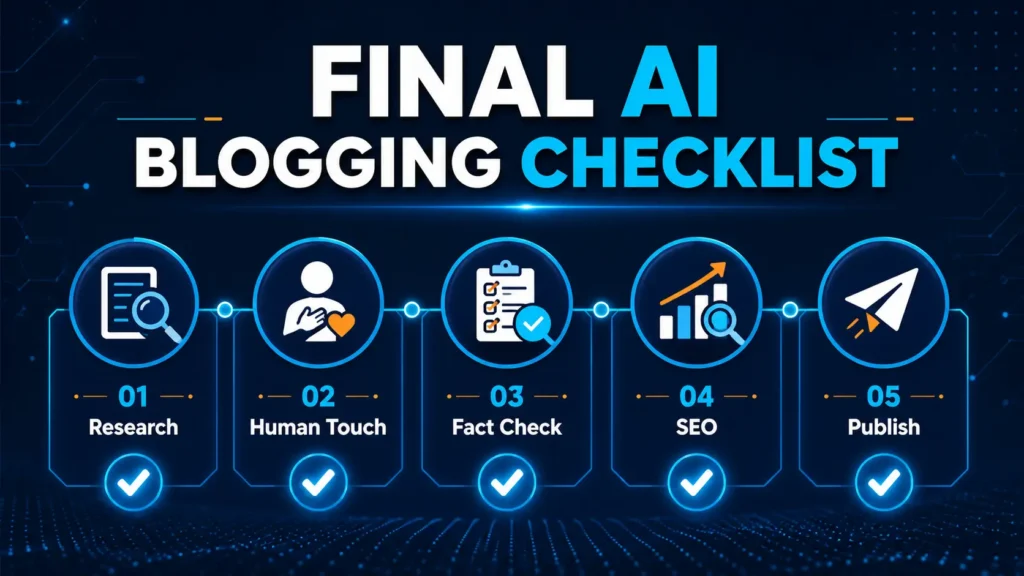
Simple AI Blogging Workflow
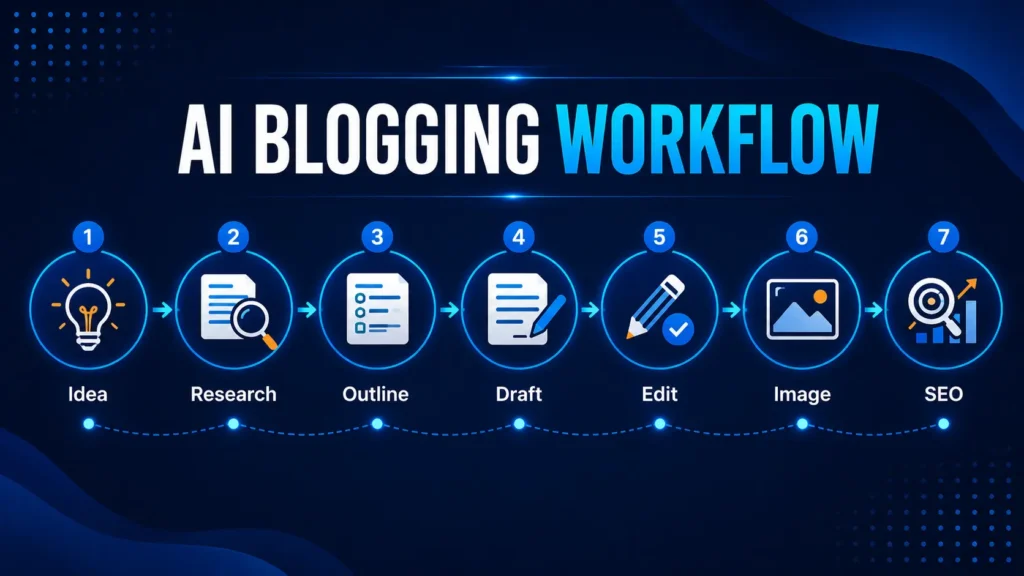
Here is a simple workflow for beginner bloggers:
Step 1: Find a topic
Use Google Trends or your own audience questions.
Step 2: Research the topic
Use Perplexity to collect official sources and important facts.
Step 3: Create an outline
Use ChatGPT or Gemini to create a clear structure.
Step 4: Write the first draft
Use AI help, but do not blindly copy.
Step 5: Add human touch
Add your own examples, simple explanation, and personal experience.
Step 6: Create images
Use Canva or Microsoft Designer.
Step 7: Improve SEO
Create SEO title, meta description, headings, internal links, and alt text.
If SEO still feels confusing, first understand SEO basics for beginners before using AI for SEO titles and meta descriptions.
Step 8: Final check
Check grammar, repetition, facts, readability, and mobile preview.
This process can save time and improve your blogging consistency.
What AI Tools Should Not Do for You
AI tools should not completely replace your thinking.
Do not use AI to:
- Copy other people’s content
- Publish without fact-checking
- Write fake personal experience
- Make unrealistic claims
- Add random keywords
- Create robotic articles
- Mislead readers
Your blog should help real people. That is more important than just publishing fast.
AI can give speed, but trust comes from honesty.
Common Mistakes Beginners Make While Using AI Tools
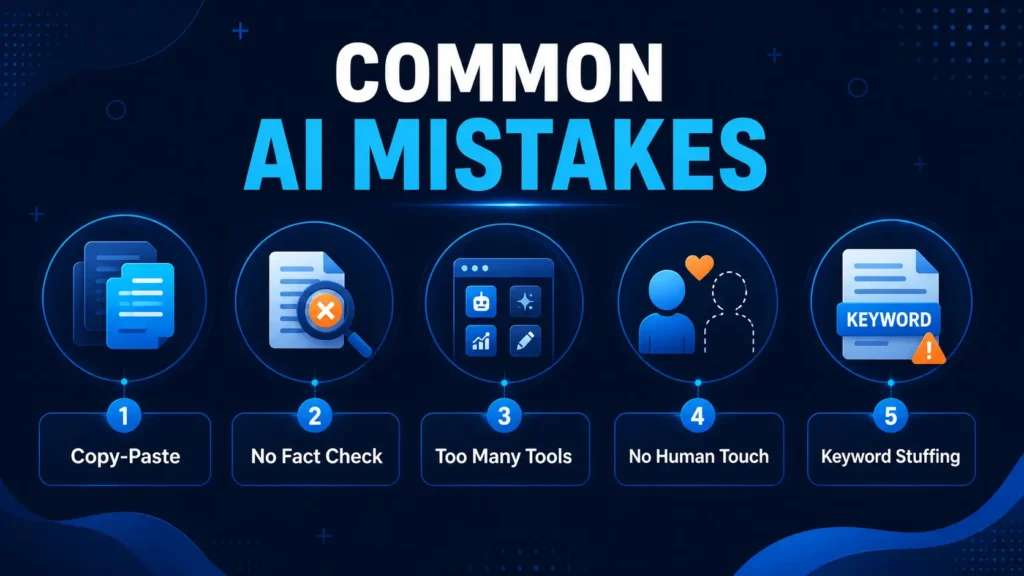
Many beginners make mistakes when they start using AI tools for blogging.
One common mistake is copy-pasting AI content without editing. This makes the content generic and less trustworthy.
Another mistake is using too many tools at once. This creates confusion.
Some beginners also believe that AI can rank articles automatically. This is not true. Ranking depends on content quality, search intent, SEO, competition, authority, and user experience.
Another mistake is not checking facts. AI can sometimes provide wrong or outdated information.
Some bloggers also forget to add their own voice. If your content sounds like every other AI article, readers may not connect with it.
So use AI smartly, but stay original.
Many beginners make similar mistakes after starting a blog, so it is helpful to understand common blogging mistakes before depending too much on tools.
Best AI Tool Combination for Beginner Bloggers
If you are a beginner, you do not need 20 tools.
Start with this simple combination:
For writing and planning: ChatGPT
For research: Perplexity
For extra ideas: Gemini
For design: Canva
For grammar: Grammarly
For trend checking: Google Trends
This is enough for most beginner bloggers.
Later, you can explore QuillBot and Microsoft Designer if needed.
FAQs
Conclusion
Free AI tools for bloggers can make blogging easier, faster, and more organized.
They can help with ideas, research, outlines, writing, editing, images, SEO, and content planning.
But AI should always be used as an assistant, not as a replacement for your own thinking.
If you are a beginner, start simple. Use one or two tools first, learn them properly, and slowly build your workflow.
Remember, blogging success does not come only from using AI tools. It comes from helping readers, building trust, publishing consistently, and improving step by step.
Use AI to save time, but use your own voice to build trust.
Which AI tool will you try first for your blogging work?
Tell me in the comments. And if you are a beginner blogger, stay connected with DigitalBhai for more simple guides on blogging, SEO, WordPress, and online earning.